Welcome to Student Finance in Enrollment Services! Below, you will find valuable information about billing, payments, taxes, meal plans, and other relevant matters. If you are seeking information about financial aid, kindly visit the Financial Aid website. Should you have any inquiries or require assistance, please feel free to contact us at [email protected] or 864 294 2030.
Student Finance

How To Pay
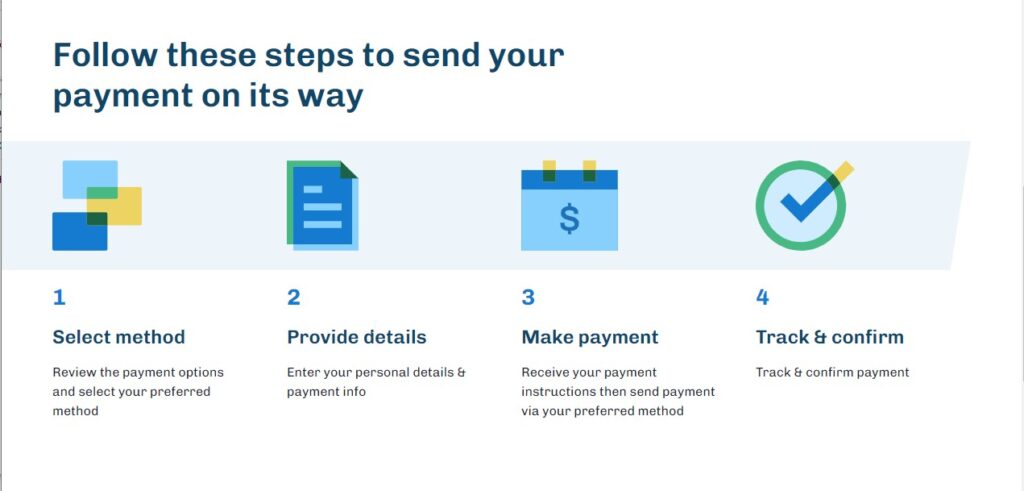
We have provided you with many convenient options to pay your bill. Students: Remember you are responsible for your account, even if someone else pays your bills. If someone else pays your bills or needs access to view your account details, set them up as an Authorized Party in NelNet, our payment vendor. Authorized Party Users: Friends and Family set up with Authorized Party Access will receive notices when there are charges to review on the student account. All other communications are sent to either the student’s Furman email account or as a Workday notification to the student only. Please encourage your student to forward any important financial communications when received.
swipe to see more
- About
- Online with eCheck or Credit Card
- Payment Plan
- 529 Plans
- State PrePaid Plans
- Check
- Outside Scholarships
We have provided you with many convenient options to pay your bill.
Workday is the portal for students to access student account information, registration, grades, housing portal, meal portal, and financial aid.
NelNet is Furman’s payment vendor and the provider of Authorized Party access to your student’s account. NelNet allows authorized parties to make payments, set up payment plans, make Flywire payments, and view transactions and statements.
Fall 2026 is Due by August 15, 2026
New Student Instructions to Set Up NelNet and Add Authorized Parties.
Students and Authorized Parties can pay online with an eCheck with no transaction fee or a credit card with a 2.85% transaction fee.
Students can also access their financial accounts via Workday. Click on Finances to view transactions. Under “My Account” you can select:
- Make a Payment or Set up a Payment Plan to be directed to Nelnet.
- View account activity or a statement.
- Manage Paperless 1098-T to have online access to your 1098-T form.
- Set Up an Authorized Party to handle your financial account.
New Student Instructions to Set Up NelNet and Add Authorized Parties.
By clicking “Make a Payment” from the email notification, students will be directed to Nelnet to create & verify their account information. You can also:
- Add Authorized Parties (Parents or others) to View your account, Make a Payment, and/or Set up a Payment plan.
- Students must add an Authorized Party in Nelnet for a parent to have account access.
- View your account balance, transaction details, and the semester’s statement.
- Easily set up and save a financial account to make payments.
Payment Plans are offered per semester only to undergraduates for Fall and Spring.
Students must add an Authorized Party in Nelnet for a parent to have account access.
Fall and Spring Semester payments are due by the due date unless you have a payment plan.
Furman offers different payment plans to help spread out fall and spring semester tuition payments.
| Fall 2026 Payment Plan available after billing | $60 Fee for the fall payment plan | ||
| Payment Plan Types | Last Date to Register | Number of Payments | Months of Payments |
| 5- month payment plan | July 13, 2026 | 5 | July – November |
| 4- month payment plan | August 13, 2026 | 4 | August – November |
| 3- month payment plan | September 11, 2026 | 3 | September -November |
|
|
|||
| Spring 2027 Payment Plan available after billing | $60 Fee for the spring payment plan | ||
| Payment Plan Types | Last day to Register | Number of Payments | Months of Payments |
| 5- month payment plan | December 11, 2026 | 5 | December -April |
| 4- month payment plan | January 13, 2027 | 4 | January -April |
| 3- month payment plan | February 11, 2027 | 3 | February -April |
For 529 Plans:
- Contact your plan as early as possible and follow any instructions your savings plan provides. This often involves completing a withdrawal request through your plan.
- Please ensure that your withdrawal request is submitted early enough to allow ample time for processing and mailing before tuition due dates.
- If an invoice is requested, please provide a copy of the current student billing statement found in the Workday Finances application.
- Please have funds sent directly to the school, the following information will be needed: Student’s First and Last Name, Student’s Furman ID number
- 529 payment plans should not be used for Furman’s payment plans. 529 lump sum payments are recommended.
PrePaid Plans:
- Parents/Students contact their Prepaid Plan and notify them of their intent to use it for the academic year.
- Provide any necessary documentation to the plan. Plans may require students to complete a Transfer Authorization request before your plan benefits will be paid. You can assess the transfer authorization within your plan account.
- Furman will invoice the prepaid plans after Furman’s web add/drop ends. Depending on the plan, payments arrive between 30-45
Payments can be mailed to the address below.
Furman University
Attn: Enrollment Services
3300 Poinsett Highway
Greenville, SC 29613
*Please include your student’s name and Furman ID number.
Outside scholarships should be mailed to the address below. Please ask that your student’s name and student ID be noted on the scholarship.
Furman University
Attn: Enrollment Services
3300 Poinsett Highway
Greenville, SC 29613
International Payment Options
swipe to see more

Furman University has established partnerships with two prominent payment providers, PayMyTuition and Flywire, to assist international students. Both providers present competitive rates along with secure, user-friendly platforms. Students have the opportunity to compare rates and monitor their payments throughout the entirety of the transaction process. It remains the responsibility of each student to ascertain which provider offers the most favorable exchange rates for their specific circumstances. Each tab provides additional information regarding PayMyTuition and Flywire.

International Payment Vendor
Furman University has partnered with PayMyTuition for international tuition payments. With PayMyTuition, you can pay your tuition payments from any bank, in any country in any currency at better than bank exchange rates. PayMyTuition is fast, simple, and cost-effective.
Step-by-Step Guides
English | French | Spanish | Portuguese | Vietnamese | Japanese | Korean | Traditional Chinese | Simplified Chinese | Arabic | Punjabi | Hindi | Farsi | Turkish | German | Bernese German | Swedish | Dutch
Customer Support Information
Call 1.855.663.6839 (toll-free) or through one of their local country contact numbers. You can also reach PayMyTuition Support at [email protected] or through their support page.
No matter what time zone you are in, you will have a dedicated customer support team available to you through live chat, email and phone to answer any of your questions and help you make your payment.

Trusted by thousands of students around the globe, Flywire is a safe, and convenient way to make international education payments to Furman University.
Flywire is also linked within NelNet, our payment provider, which will automatically update a student’s account.
Resources
Customer Support Information
- Fall 2026 is Due by August 15, 2026
- Spring 2027 is Due by December 15, 2026
Fall and Spring Semesters are due by the due date unless you have a payment plan.
Fall billing will go out in early July.
Spring billing will go out in late November.
Billing Important Information
Students will receive a notification from our partner Nelnet when a billing statement is available. July 2026 billing will go out in early July.
NelNet:
NelNet is Furman’s payment vendor and the provider of 3rd-party access to your student’s account.
By clicking “Make a Payment” from the email notification, students will be directed to Nelnet to create & verify their account information. You can also:
- Add Authorized Parties (Parents or others) to View your account, Make a Payment, and/or Set up a Payment plan.
- Students must add an Authorized Party in Nelnet for a parent to have account access.
- View your account balance, transaction details, and the semester’s statement.
- Easily set up and save a financial account to make payments.
Workday:
Workday is the portal for students to access student account information, registration, grades, housing portal, and financial aid.
Students can also access their financial account via workday.www.furman.edu. Click on Finances to view transactions. Under “My Account” you can select:
- Make a Payment or Set up a Payment Plan to be directed to Nelnet.
- View account activity or a statement.
- Set up Payment Elections – set up your bank account for Student Refunds.
- View your Financial Aid awards and complete the required documents.
- Self-Service Portal to change your meal plan.
- Manage Paperless 1098-T to have online access to your 1098-T form.
New Student Instructions to Set Up NelNet and Add Authorized Parties.
Need more information? Check out https://blogs.furman.edu/workdayhelp/2021/04/21/finances/ under Student and Finances.
Questions? Email [email protected].
| 16 Week | |||||||
| REGULAR SESSION | Semester | Annually | |||||
| BASIC FEES | |||||||
| Tuition: | |||||||
| Comprehensive Fee | $31,439 | $62,878 | |||||
| Room: | |||||||
| Residence Hall Double occupancy | $4,562 | $9,124 | |||||
| Residence hall designed single | $5,066 | $10,132 | |||||
| North Village 4 bedroom apartment | $6,129 | $12,258 | |||||
| Board: | Food Points Per Semester | Guests Meals Per Semester | |||||
| Unlimited | 350 | 5 | $3,774 | $7,548 | |||
| 190 Block Plan | 350 | 15 | $3,246 | $6,492 | |||
| 160 Block Plan | 400 | 15 | $2,947 | $5,894 | |||
| 110 Block Plan | 450 | 10 | $2,138 | $4,276 | |||
| 75 Block Plan | 450 | 5 | $1,761 | $3,522 | |||
| SPECIAL FEES | |||||||
| Late Enrollment | $100 | ||||||
| Student Government Association | $205 | $410 | |||||
| SUMMARY OF ANNUAL FEES | |||||||
| Resident Student | Commuting Student | ||||||
| Tuition | $62,878 | $62,878 | |||||
| Room (double occupancy) | $9,124 | $0 | |||||
| Board (unlimited) | $7,548 | $0 | |||||
| Student Government Association | $410 | $410 | |||||
| Total | $79,960 | $63,288 | |||||
Furman assesses a comprehensive tuition fee for degree-seeking, undergraduate day students who are enrolled for up to 20 credits in the fall or spring semesters. Requested exemptions to the comprehensive fee policy should adhere to the catalog requirements.
Comprehensive Fee Policy and Refund Policy:
https://catalog.furman.edu./content.php?catoid=17&navoid=816
Furman University has partnered with GradGuard™ to offer tuition insurance from Allianz Global Assistance.
The tuition protection plan is like an extension of our refund policy. It can reimburse up to 100% of your nonrefundable school costs after a mid semester withdrawal for a covered illness, injury, psychological condition, and more—protecting your investment in higher education. Visit the GradGuard™ website for more details.
Insurance must be purchased prior to the first day of classes. Coverage extends through the end of that semester. Tuition insurance is completely optional. The agreement you enter into is with GradGuard, not with Furman University.
- 1098-T
1098-T forms are provided to all students with qualified tuition and related expenses each January. The form reports amounts paid based on the transaction date. Accordingly, spring semester charges are reported in the previous calendar year if you register prior to January 1.
We can address questions about the amounts reported on your 1098-T, Specific questions regarding the eligibility of the Hope Scholarship, Lifetime Learning, or American Opportunity tax credit should be referred to your tax advisor.
1098-T forms will be mailed to the home address from the student’s Workday account.
Students may view and print duplicate copies of their 1098-T by logging into their Workday or NelNet account. In Workday under the Applications on the dashboard, you would select the Finances icon then under My Account, you will find View My 1098-T or Print My 1098-T. In NelNet, on the dashboard under 1098-T Documentation, you would select View 1098-T. Authorized Parties will also have access to your 1098-T.
- American Opportunity and Lifetime Learning Credits, Form 8863
Federal tax credits are available to eligible students. Consult current IRS publications to learn more.
- Tax Benefits for Education, Publication 970
Federal tax benefits may be available for those saving for or paying higher education costs. Find out more from the IRS.
- IRS website, irs.gov
The definitive site for all US tax information.